Help
Submission Periods
How to define claim windows that redemption modules use. Button names match the English UI.
This is for Allura staff who can see Submission Periods. Dates are month-day only (no year).
Related: Administration panel.
Before you start
- You are signed in to VIPA.
- Settings, then Submission Periods.
The screen
Title Submission Periods. Text: Claim windows the redemption modules reference. Dates are MM-DD; open/close mark when each window accepts submissions.
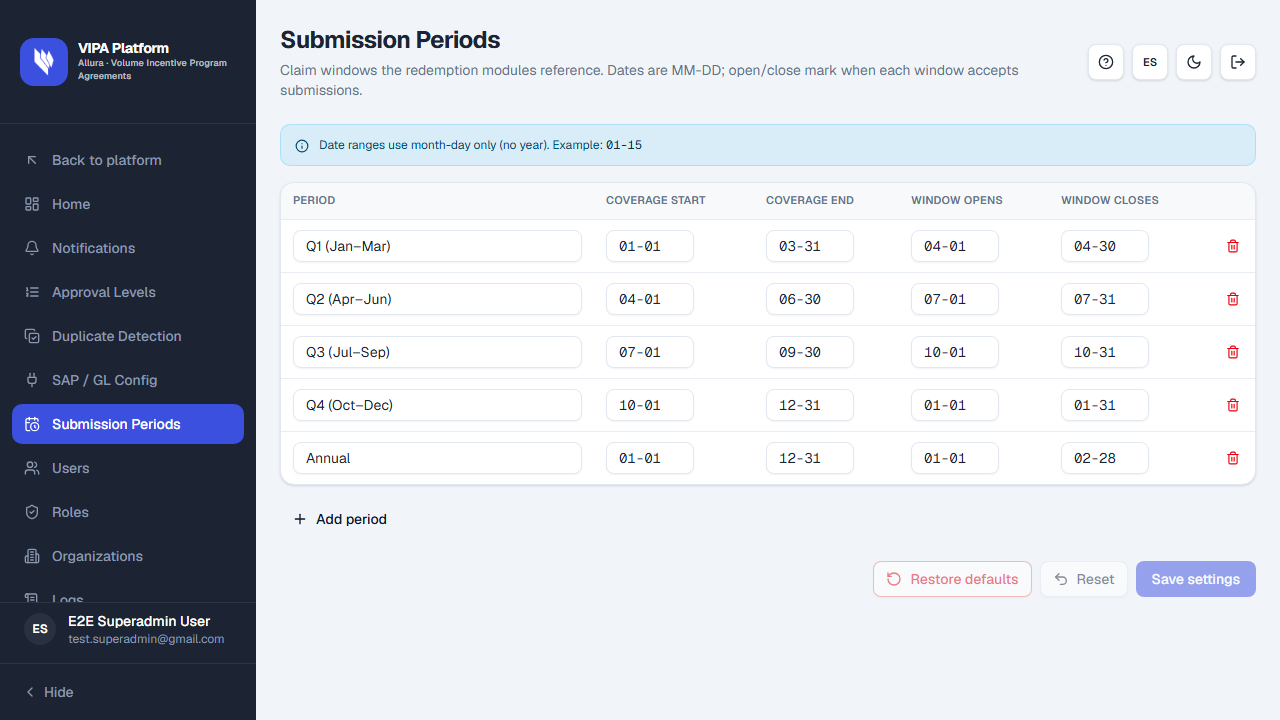
Info: Date ranges use month-day only (no year). Example: 01-15.
The table
| Column | Meaning |
|---|---|
| Period | Name of the window. |
| Coverage start / Coverage end | What dates the period covers (MM-DD). |
| Window opens / Window closes | When submissions are accepted (MM-DD). |
Add period adds a row (New period). Remove period deletes a row.
Save, reset, restore
Use Save settings, Reset, and Restore defaults as on the other settings screens.
If something goes wrong
| What you see | What to do |
|---|---|
| You cannot type a full calendar date | Type MM-DD only (for example 01-15). |
| You do not see the menu item | You lack settings permission. |