Help
SAP / GL Config
How to set the rebate GL account and document-number formats for the SAP ECC connector used by claims redemption. Button names match the English UI.
This is for Allura staff who can see SAP / GL Config. The connector is marked Simulated: a push returns a mock document number. Live SAP posting is not everyday work in this cut.
Related: Administration panel.
Before you start
- You are signed in to VIPA.
- Settings, then SAP / GL Config.
The screen
Title SAP / GL Config. Text: Posting account and document-number formats for the SAP ECC connector used by the claims redemption modules.
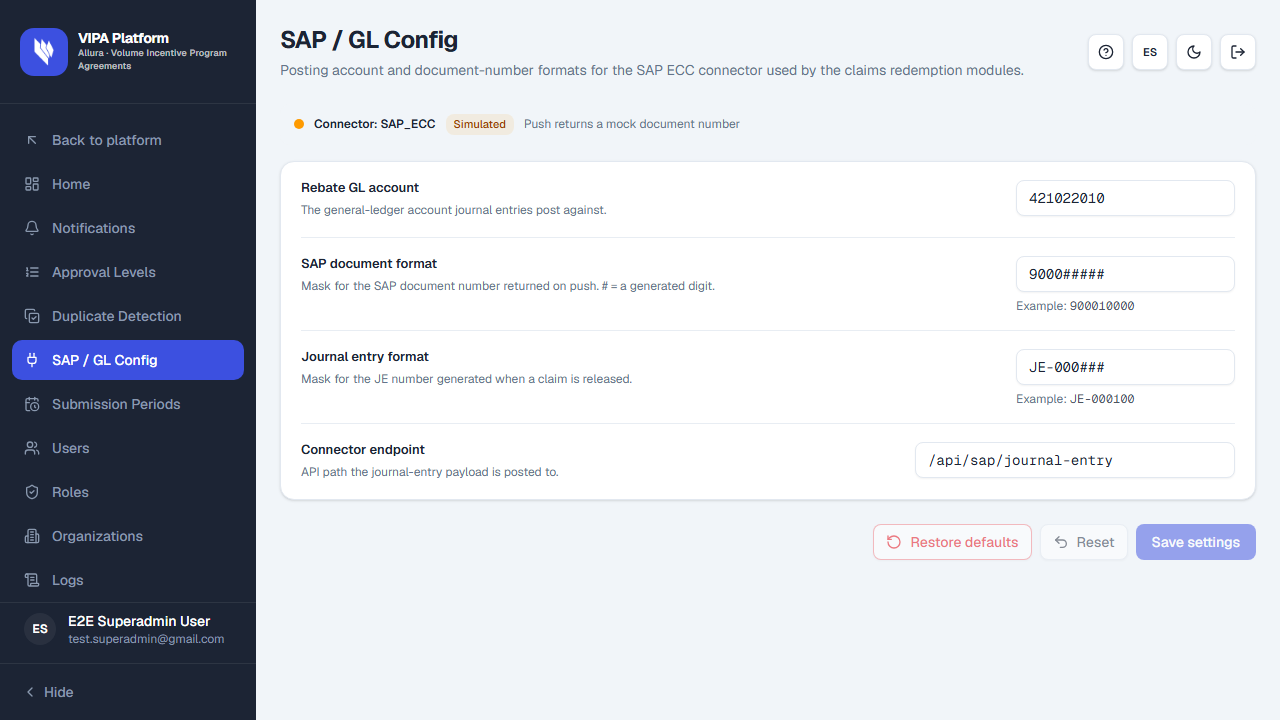
Banner: Connector: plus the connector name, badge Simulated, and Push returns a mock document number.
| Field | Meaning |
|---|---|
| Rebate GL account | General-ledger account journal entries post against. |
| SAP document format | Mask for the SAP document number returned on push. # = a generated digit. Example shows a preview. |
| Journal entry format | Mask for the JE number generated when a claim is released. |
| Connector endpoint | API path the journal-entry payload is posted to. |
Save, reset, restore
Use Save settings, Reset, and Restore defaults as on the other settings screens.
If something goes wrong
| What you see | What to do |
|---|---|
| Simulated | Expected. Saving does not post to production SAP. |
| You do not see the menu item | You lack settings permission. |