Help
Logs
How to read authentication, application, and error audit trails. Button names match the English UI.
This is for Allura staff in administration.
Related: Administration panel.
Before you start
- You are signed in to VIPA.
- Settings, then Logs.
The screen
Title Logs. Text: Authentication audit, application activity, and error logs.
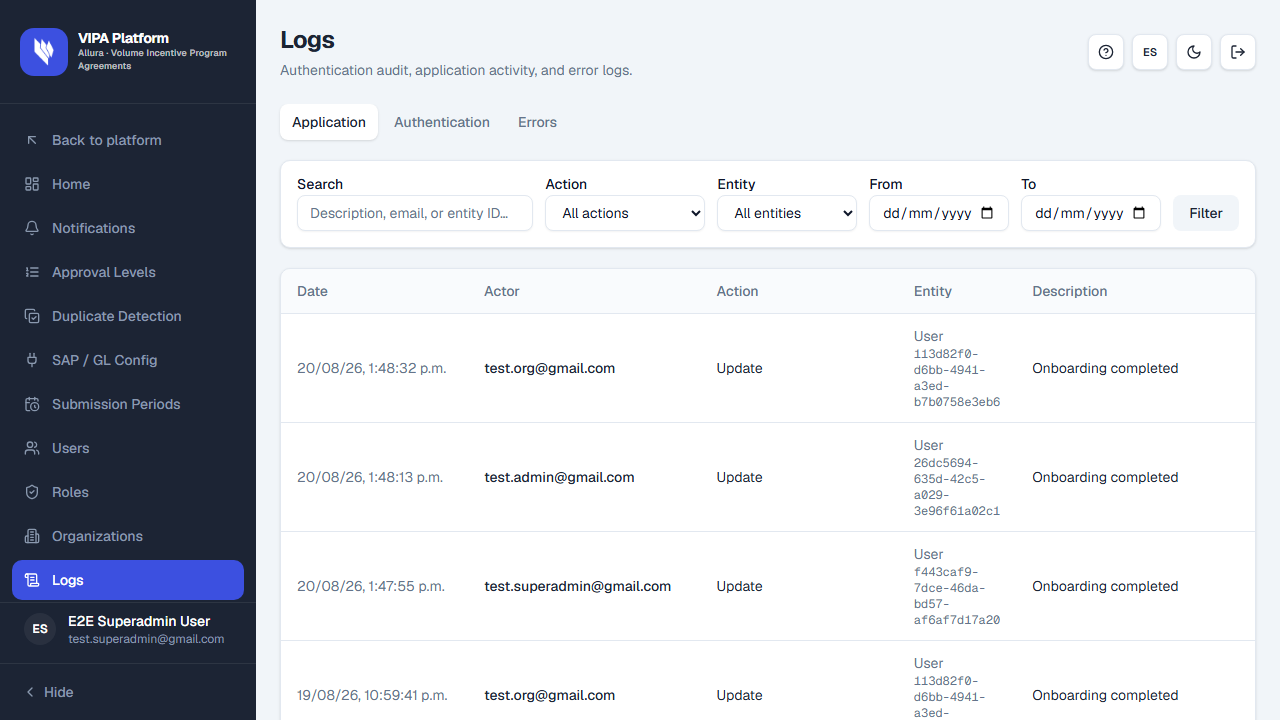
Tabs: Authentication, Application, Errors.
Use search and filters (description, email, entity, action). Open a row for detail. If Authentication is empty with a warning, the environment may not expose auth audit (Auth audit logs are not available in this environment…).
If something goes wrong
| What you see | What to do |
|---|---|
| Empty table | Widen filters or the date range. No rows is not always an error. |
| Auth audit unavailable | Ask an administrator; it is an environment/config issue, not a missing menu. |